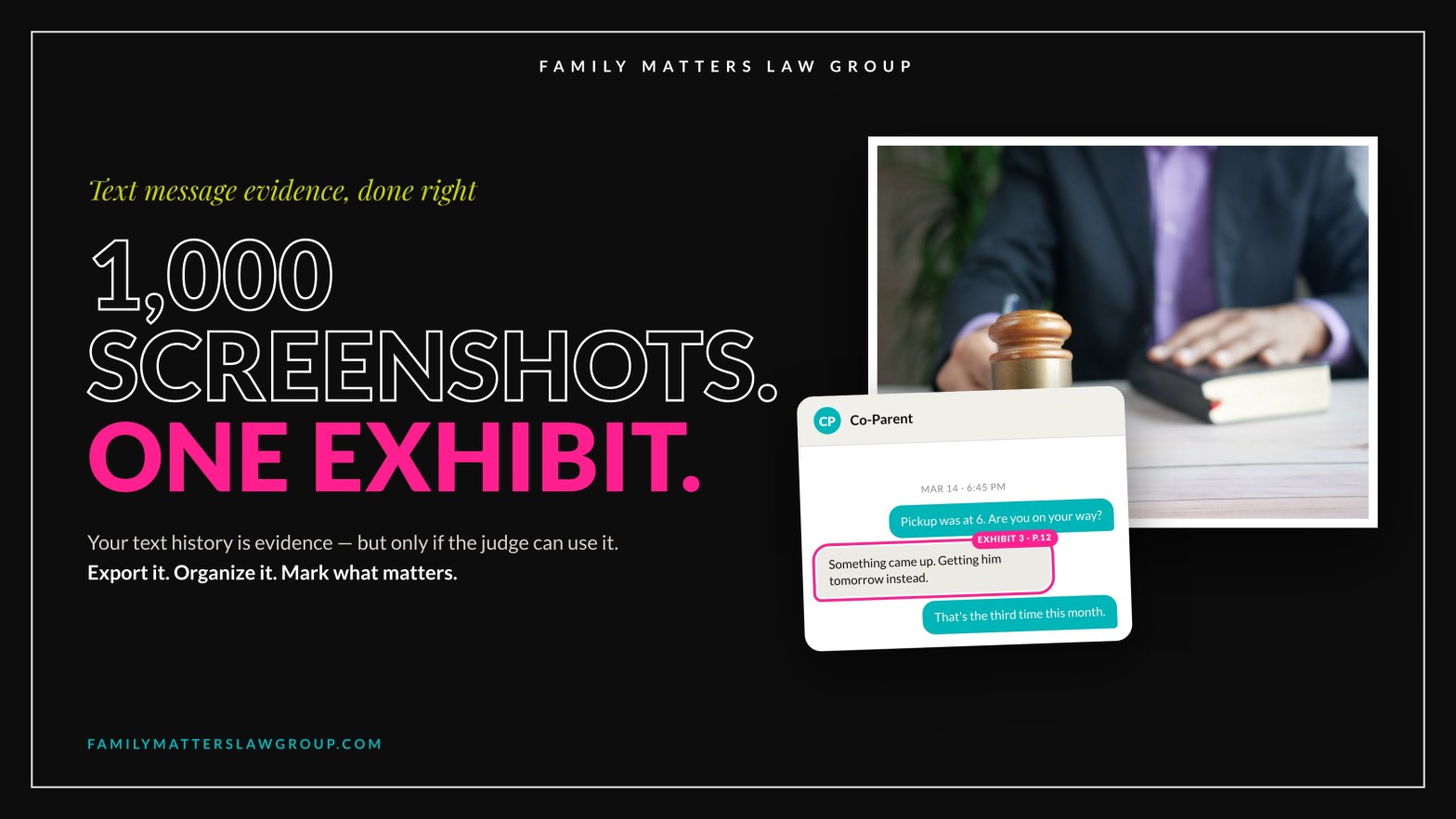


How Do I Turn 1,000 Text Screenshots Into One Court-Ready Exhibit?
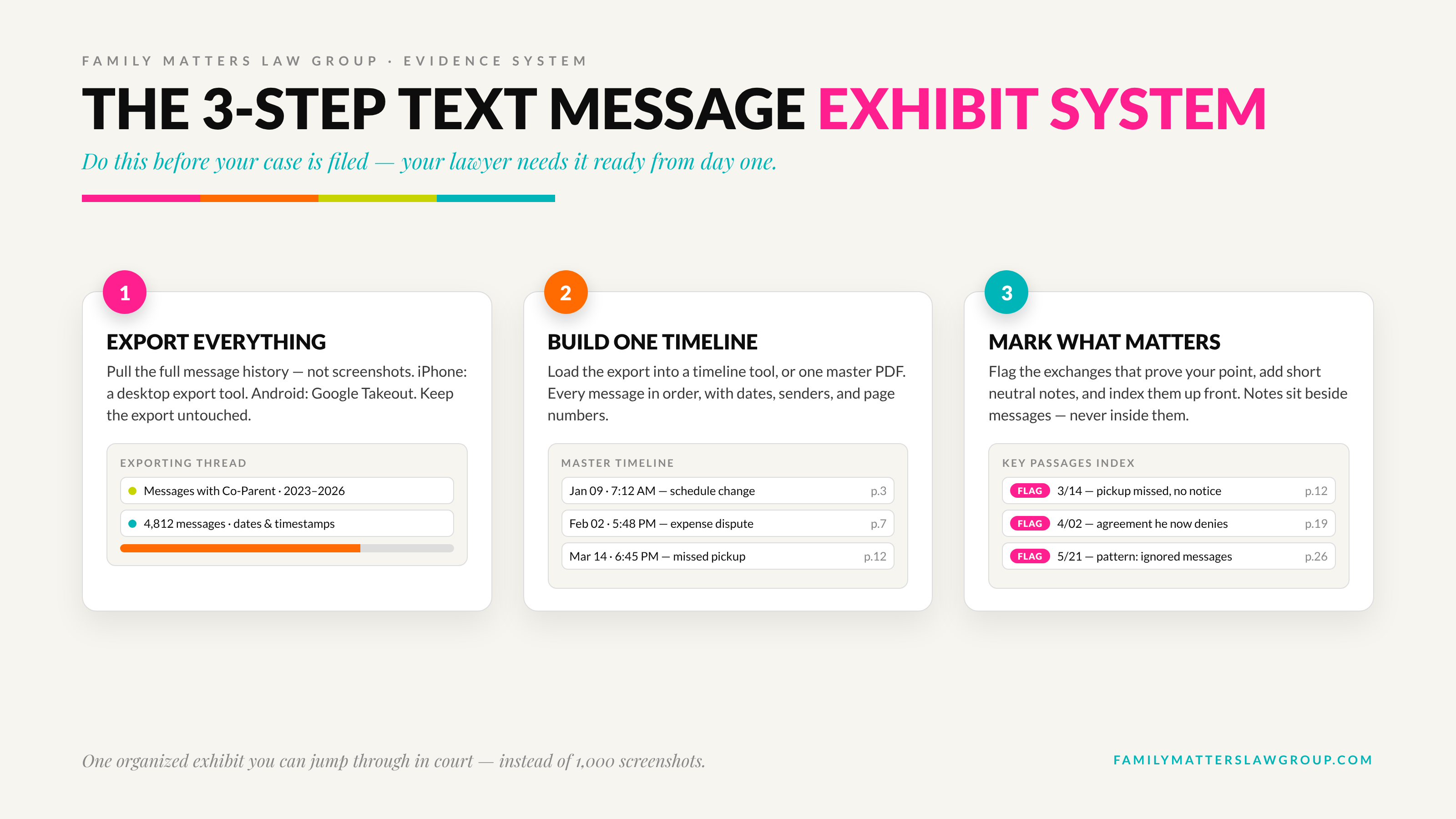
Your text history with your ex is evidence. A camera roll full of screenshots is not an exhibit. The fix is a three-step system: export the full message history, build one chronological timeline, and mark the messages that matter — before your case is filed, not the week of your hearing.
After 18 years in Florida family courtrooms, I can tell you how this usually goes. A parent walks into a hearing with hundreds of screenshots on their phone, absolutely certain the proof is in there somewhere. And they are right — it is in there somewhere. That is exactly the problem. Evidence a judge cannot find in the time you have is evidence that may as well not exist.
Are text messages admissible in a Florida family law case?
Yes. Text messages between you and the other party are used in Florida divorce, custody, and injunction cases all the time, and your ex’s own messages to you are generally not blocked by the hearsay rule, because a party’s own statements can come in against them. The real hurdles are practical: you have to authenticate the messages — show they are what you claim they are and that the other party sent them — and you have to present them in a form the judge can actually use.
Authentication is where sloppy screenshots get picked apart. A cropped image with no date, no contact name, and no surrounding conversation invites the response that it is taken out of context, or worse, that it is not real. Florida’s evidence rules also let the other side demand the rest of a conversation when you offer only a piece of it. A complete, dated export answers those attacks before they start.
Why is a pile of screenshots a problem in court?
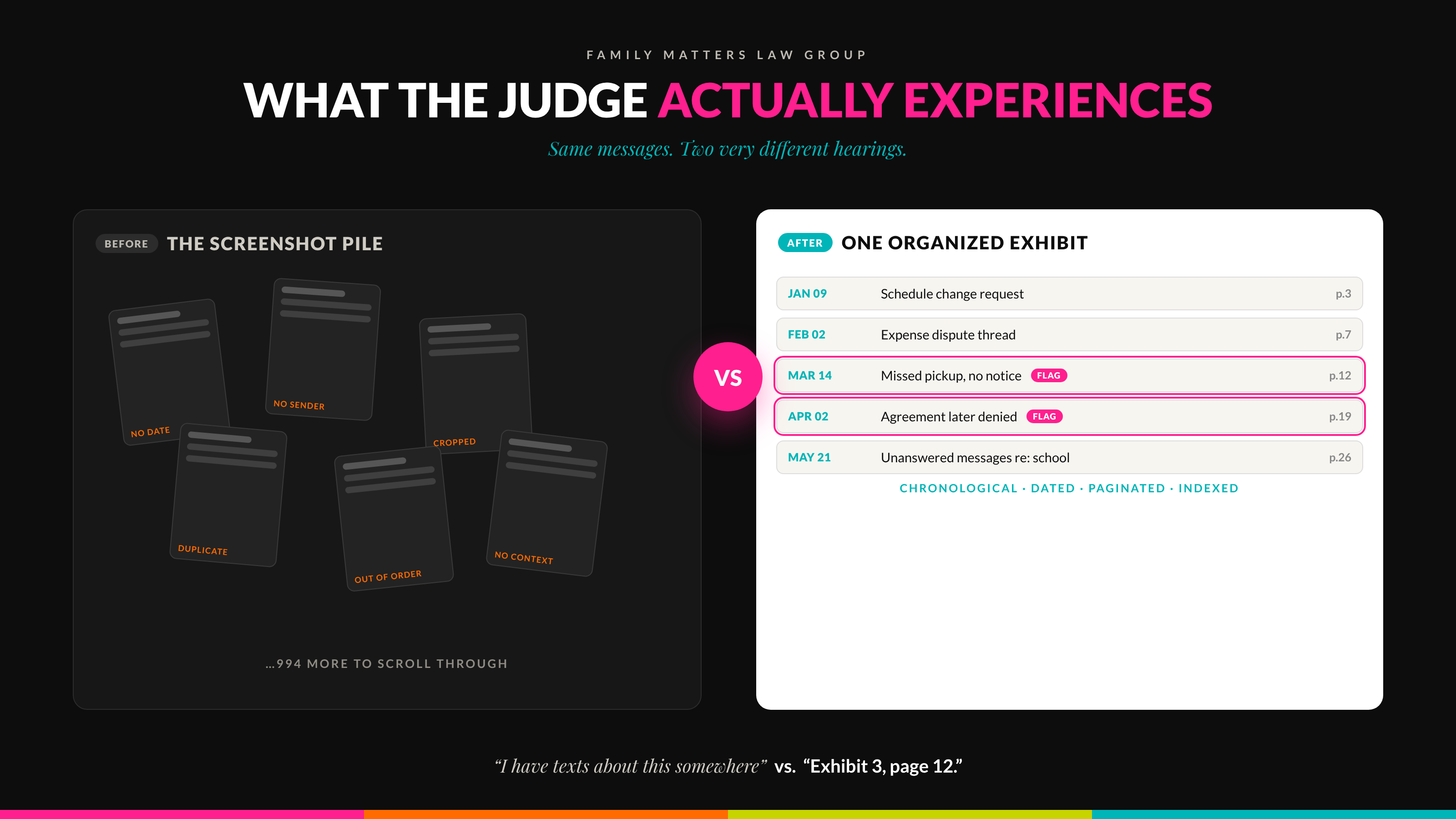
Because court time is short and screenshots are slow. A typical family court hearing may give you an hour or less to present your side. Screenshots are out of order, duplicated, missing timestamps, and impossible to cite — there is no page 47 of a camera roll. Your attorney bills by the hour to sort them. Opposing counsel objects to the gaps. The judge gets frustrated scrolling.
One organized exhibit flips all of that. Every message is in chronological order with dates and senders shown, the key passages are flagged and indexed, and anyone — judge, mediator, opposing counsel, you on the witness stand — can turn to the exact page in seconds. In our cases, that is the difference between “Your Honor, I have texts about this somewhere” and “Exhibit 3, page 12, the message of March 14 at 9:02 p.m.”
Step 1: How do I export text messages from my phone?
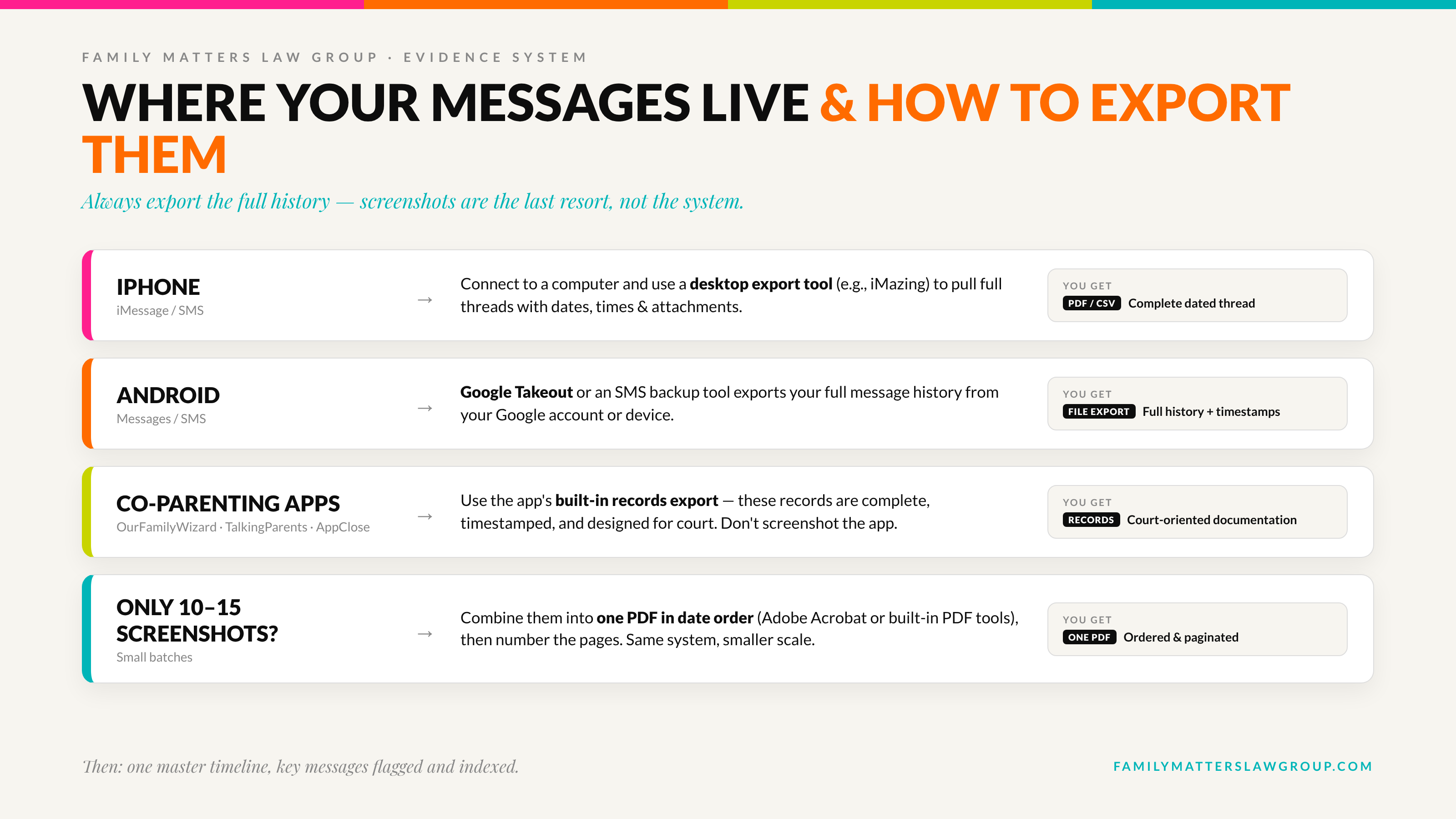
Export the entire conversation history with the other party — not selected screenshots. On an iPhone, that means connecting to a computer and using an export tool such as iMazing, which pulls full threads with dates, timestamps, and attachments into PDF or spreadsheet form. On Android, Google Takeout or a similar backup tool does the same job. The export is your clean, complete source document.
Keep the export exactly as it comes out. Do not delete embarrassing messages, do not trim the boring parts, and do not retype anything. Completeness is what makes it credible — and selectively deleted history has a way of surfacing anyway, because the other side has the same conversation on their phone.
Step 2: How do I organize the messages into one timeline?
Load the export into a timeline or evidence-organization tool — ChronoDocs is one example built for exactly this — or build the timeline yourself as a single PDF or spreadsheet. Either way, the goal is one master document: every message, chronological, dated, with page numbers. That structure is what lets you jump through your history in court instead of digging through it.
If you only have 10 or 15 screenshots rather than a full export, the same principle applies at smaller scale. Combine them into a single PDF in date order using Adobe Acrobat or your computer’s built-in PDF tools, then number the pages. Small case, same system.
Step 3: How do I mark the messages that matter?
Go through the timeline and flag the exchanges that prove something: the late pickups, the agreement your ex now denies, the threats, the pattern of ignored messages about the kids. Add short, neutral notes — date, topic, why it matters — and build a one-page index of the flagged passages at the front.
Annotate alongside the messages, never inside them. The message text stays untouched; your notes and flags are a separate layer. Neutral labels like “3/14 — pickup missed, no notice” serve you better than arguments like “proof he is lying,” because your exhibit may end up in front of the judge, and the messages should do the talking.
What about OurFamilyWizard, TalkingParents, or AppClose messages?
Use the app’s own records export instead of screenshots. Court-oriented co-parenting platforms like OurFamilyWizard and TalkingParents exist precisely because their message records are complete, timestamped, and tamper-resistant — both offer a records or download feature that produces documentation designed to be used in court. AppClose and similar apps also let you export conversation history to PDF. A native export from the platform is stronger and faster than hundreds of screenshots of the same messages.
The exported records then drop into the same system: one chronological master document, key passages flagged and indexed.
When should I start organizing my text message evidence?
Before your case is filed, if you can. Evidence organization is day-one work, not trial-week work. If you are represented, handing your attorney one organized exhibit instead of a photo dump saves you real money in billed hours. If you are representing yourself, it may be the single biggest credibility upgrade available to you — judges notice the self-represented party who shows up organized.
Already mid-case? Start now. The system works at any stage; it just works best with a head start.
What mistakes get text message evidence thrown out?
- Cropping out context. A fragment invites the “out of context” attack and a demand for the rest of the conversation.
- Missing dates and senders. If the screenshot does not show when it was sent and by whom, it barely proves anything.
- Editing or retyping messages. Any alteration — even innocent cleanup — hands the other side an authenticity argument.
- Deleting your own side of the thread. The other party has the full conversation. Assume the judge will eventually see it.
- Waiting until the hearing is set. Rushed evidence is disorganized evidence.
Frequently asked questions
Can I use text messages as evidence in a Florida custody case?
Yes. Texts between parents are standard evidence in Florida custody and divorce cases. You will need to authenticate them — show they are genuine and who sent them — which is why complete, dated exports beat cropped screenshots. Relevance still matters: messages about the children and co-parenting carry the most weight.
What if my ex deleted the texts from their phone?
Your copy of the conversation still exists on your device, which is exactly why you export and preserve it early. In litigation, your attorney can also request records through discovery — the formal process where each side must produce relevant documents. Preserve first, argue later.
Can I just read the texts out loud at my hearing?
Plan on presenting the messages themselves, not your memory of them. Reading from your phone is slow, invites objections, and gives the judge nothing to review. An organized, paginated exhibit lets you direct the court to the exact message and lets the words speak for themselves.
Do printed screenshots count as originals?
Florida courts routinely accept accurate printouts of electronic messages, but accuracy and completeness are what get tested. A full export showing dates, senders, and the whole conversation is far harder to challenge than isolated images. When in doubt, preserve the phone and the original data too.
Can FMLG help me do this without hiring a lawyer for my whole case?
Yes. Organizing evidence is one of the most common things we coach self-represented clients through in DIY Legal Coaching — you keep control of your case and your budget, and we make sure your exhibit, and the rest of your preparation, is done right.
Facing a hearing with a phone full of proof?
Full representation, or DIY Legal coaching if you’re handling it yourself — either way, your evidence gets organized the way judges expect. Clarity, options, control.